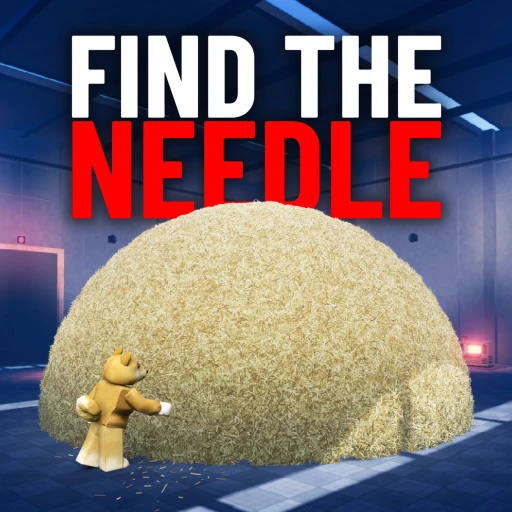
DomBlox Games
Facility 09 tutorial troubleshooting
Stuck in Facility 09? Check CREATE, the yellow deposit vent, hay objectives and CARRY I funds before treating tutorial progression as a DomBlox game bug.
Check your tutorial stage first: start a run with CREATE, deposit hay into the yellow vent, and select the upgrade named in your current objective. Read the selected item’s message before diagnosing a grey BUY button. The published screenshot shows insufficient cash for one purchase; it does not explain every unavailable purchase.
On this page
Work through these checks.
- 01
Read the active tutorial tracker.
- 02
Check whether the hay was deposited into the yellow vent.
- 03
Check your current balance and select CARRY I at the terminal.
Still standing in the lobby
The reported opening starts only after using the PLAY elevator, choosing the squad size and pressing CREATE. A game title loading successfully does not mean you have launched a Facility 09 run. Check the current launch screen instead of trying to collect a tutorial target in the lobby.
Five straws, but not five in your hands
Read the tutorial target and the carry counter separately. The reported tutorial asks for five straws across the opening sequence, while the pictured carry counter is smaller. A capacity limit does not automatically mean progress is stuck. Make additional trips when your hands are full and verify which tutorial objective is currently active.
The hay disappeared but cash did not increase
The described cash-in point is the yellow DEPOSIT HAY vent beside the terminal. Hay dropped on the route is not a successful deposit. Move to the labelled destination and watch the current balance or objective. This guide cannot confirm a server bug from a failed drop alone.
PC: check the mouse-unlock prompt
The PC interface pictured in the September 6 Facility 09 guide shows UNLOCK MOUSE — V. When that same prompt appears in your game, press V to use the indicated mouse-unlock control before trying to select a menu item.
This is a pictured PC control, not a verified touch-screen or controller instruction. When your interface shows a different prompt, follow that prompt instead. This step also does not resolve an unaffordable purchase; compare your balance with the upgrade’s displayed price.
The BUY button is grey
Read the selected item’s message before diagnosing the button. In the published Facility 09 terminal image, the selected PULL RANGE I tooltip says “NOT ENOUGH $ YET.” That supports an insufficient-cash explanation for the pictured purchase, not a rule covering every disabled button.
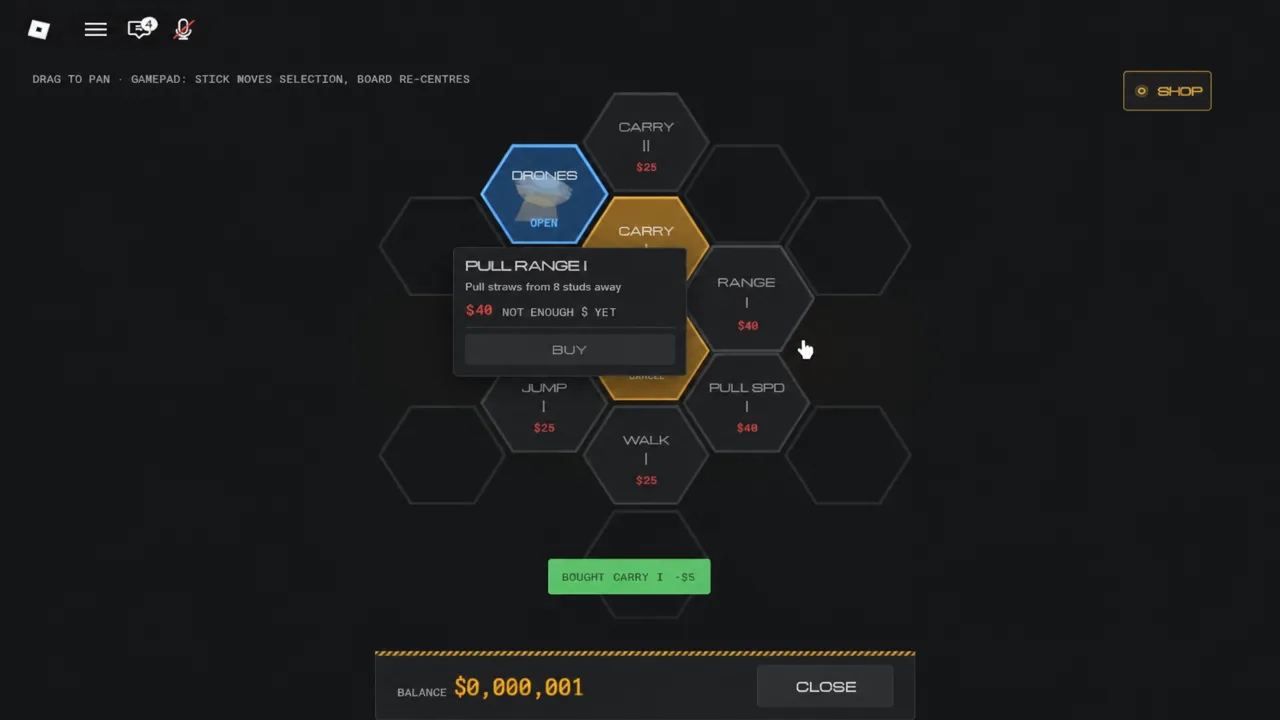
For the opening tutorial, check whether your current objective asks for CARRY I, select that entry and compare its displayed cost with your balance. The upgrade evidence page separates pictured values from text-only reports.
When your balance meets the displayed price but BUY remains unavailable, read any additional message and confirm the selected item. This guide has not established every prerequisite or lock condition. Do not treat paying for a pass, reinstalling Roblox or resetting progress as a verified fix.
When the guide and screen really disagree
First match the Place ID and creator. Then note the date, device and exact objective text. A useful correction includes the specific action and visible result, with private details removed. We do not recommend reinstalling, paying for a pass or resetting progress as a generic fix; those actions are not established by the sources for this tutorial.
If you’re stuck
- Nothing starts in lobby: launch through PLAY and CREATE.
- Counter stopped: compare the exact objective, not another game's guide.
Sources & notes
PC-control image reviewed September 7, 2026 (UTC+8). The article is dated September 6; image capture date and game build are unknown. This was not an in-game control test. Other tutorial information retains its original source date. Purchase-message clarification reviewed September 8, 2026 (UTC+8). The evidence is a terminal image in a guide dated September 6. Its capture date and game build are unknown. No in-game purchase test was performed.
Needle In A Haystack on Roblox — Official Roblox page ↗Facility 09 opening guide — All Things How — Dated gameplay report ↗Facility 09 PC-control image — All Things How — Pictured PC prompt · not a control test ↗Facility 09 terminal image — All Things How — Image evidence · capture date and game build unknown ↗Facility 09 details are attributed to the September 6 public report, not our own gameplay test. The initial carry counter is not assumed to equal the tutorial’s five-straw target.
How we check facts →Quick questions
Which exact Roblox game does this page cover?
Needle In A Haystack by DomBlox Games, Place ID 110954432401277. Match both the ID and creator before following the instructions.
What if my game looks different?
Check the Place ID first. If it matches, a game update may have changed the UI; use the current official page and send a correction.
Why can’t I buy CARRY I?
Check that you started a run, completed the shown collection/deposit objectives and have enough cash for the terminal’s current price. The report lists $5.
Does a different hay counter prove the game is broken?
No. Collection objectives, deposited totals and carrying limits can be different counters. Read each label before comparing the numbers.